Helping You Choose and Use the Right Digital Microscope
Category: Imaging & Techniques
Get to grips with digital microscope imaging, focusing, illumination, and image capture. Learn how magnification, resolution, working distance, and software settings affect what you see, with practical explanations and troubleshooting guidance for everyday microscope use.
Connecting a USB microscope to a computer usually involves plugging in a data-capable USB cable, opening compatible camera software, selecting the microscope as the video source, and adjusting the microscope for a clear image. The exact process depends on the […]
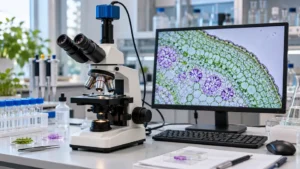
A trinocular microscope can show a specimen through the eyepieces while sending a separate image to a computer, monitor, or recording system. That third optical path is useful for teaching, documentation, live viewing, and image analysis, but the camera itself […]
A Windows-compatible digital microscope can mean a pocket camera plugged into a laptop, a WiFi unit that switches to USB for PC viewing, or a larger LCD system that sends video to a computer. That difference shapes the entire experience. […]
Working distance in microscopy is the space between the front of the microscope’s objective or lens assembly and the surface of the specimen when the image is in focus. It is measured from the part of the optical system closest […]
Digital microscope magnification can describe several different things, and those measurements are not interchangeable. A microscope may have optical magnification from its lens system, digital magnification applied by software, or apparent magnification created by displaying an image on a large […]
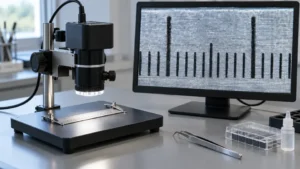
A digital microscope camera can mean two very different things. One type is a complete handheld or stand-mounted microscope that sends an enlarged view to a phone, computer, or built-in screen. The other is a camera module that attaches to […]
A Mac-compatible digital microscope has to solve two problems at once: produce a usable close-up image and connect reliably to macOS. A microscope can advertise 1,000x magnification yet remain a poor Mac choice if its software, connector, or operating-system support […]